Sent to you by GADET via Google Reader:

We reviewed the original Powermat Wireless Charging System and thought it was an interesting product, but weren't sure if it was something we'd use every day due to the bulk it added via required cases for our gadgets. It's been over a year since that review, let's see if thinner cases make the Powermat induction charging system a must have accessory.
Powermat offers wireless charging solutions for a wide variety of gadgets, but for this review, we're focusing on the Motorola Droid X and the Apple iPhone 4.
Powermat Wireless Charging System for the Motorola Droid X

Package Contents
Powermat wireless charging mat
Powermat receiver door
AC Adapter
Owner's Manual

To give the Droid X the capability of wireless charging with the Powermat, you just have to swap the original battery cover door with the one included in the Powermat package. As you can see, the Powermat battery cover (AKA receiver) looks relatively similar to the stock cover. At least in shape and color.

The secret to this special cover is the built in microUSB connector.
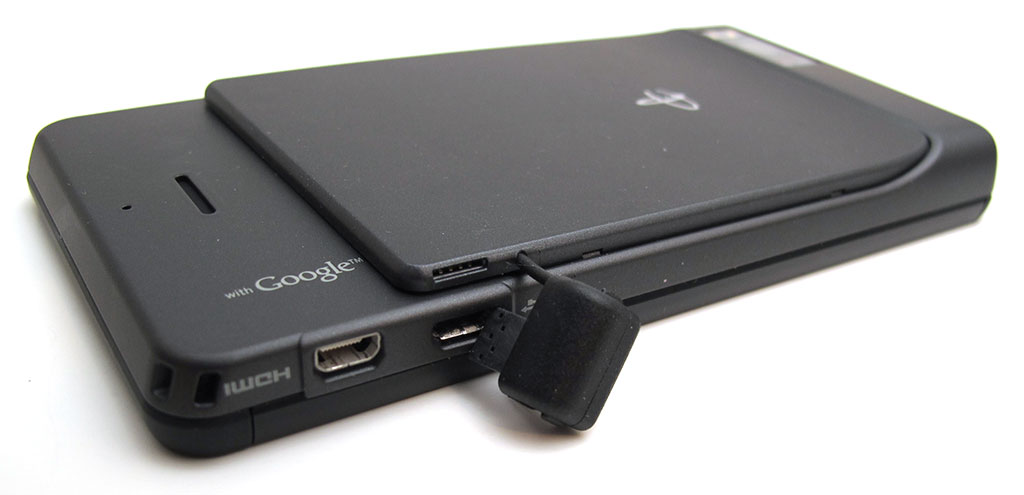
Take off the stock cover, snap on the Powermat cover and then plug the microUSB connector into the slot in the phone and in the cover. The picture above make the cover look a lot thicker than it really seems in real life. I can't really feel the difference while the phone is in my hand.

So for the most part, the Droid X still looks like a Droid X sans the Motorola logo and the addition of the USB connector 'bump' on the side. I was worried that the bump would feel awkward when holding the phone. I notice that it's there, but it's not a big deal.
One obvious problem with using this charging system with the Droid X (and other devices) is that you won't be able to use your favorite form fitting case. However, that was not a problem for me since I don't use a case with my Droid X.
To use the wireless charging system, you just install the battery cover, plug in the Powermat with the included AC adapter and then set the Droid X on the mat.

When you set the device on the mat, you can feel a magnetic attraction, which is kind of cool. What's even better is that the mat will emit a funky little sci-fi like tone to let you know that handshaking between the mat and receiver were successful and charging is taking place. You might be wondering if you have to be precise in the way you place the phone on the mat. Nope, that's not necessary. As long as you pretty much center it, it seems to work just fine.
There's also a visual indicator. The mat has a White LED on the front two corners that light up while the phone is charging. When the battery is at 100%, the LEDs turn off.
Let's look at a similar solution for the iPhone 4.
Powermat Wireless Charging System for the Apple iPhone 4

Package Contents
Powermat wireless charging mat
iPhone 4 case
AC Adapter
Owner's Manual

As you can see, the receiver case for the iPhone 4 is a bit more noticeable than the one for the Droid X. It's made of Black plastic, so it blends in very well with the iPhone, but does give the phone several negative sexy points.

The back of the case is plain except for the Powermat logo and cutout for the camera lens. By the way, the logo on this case and the Droid X battery cover is not the charging point for the Powermat. I tested this by putting a piece of tape over it and charging still took place.

The top of the case can flip open so you can easily slide the phone in and out of the case.

Cutouts for the mute and volume buttons. The only annoying thing I noticed is that the edges of seam in the flip top feel sharp on your thumb tip when you're trying to activate one of the buttons.

Top view.

The bottom of the case has cutouts for the speakers and it also has a microUSB connector. What's that for? Well, you won't have to remove the case in order to sync with your computer. Just plug in the included USB cable and you're good to go. One added benefit is that you can also charge via that USB connection.

Just like the Droid X charging system, when you place the iPhone 4 on the Powermat, it will make a cute little spacey noise, a White LED will light up on the base and your phone will start charging. Unlike the Droid X system, the Powermat for the iPhone 4 is not magnetic.
Both charging systems worked great and seemed to charge as fast as using a normal AC adapter.
Of the two systems, I like the one for the Droid X best because it doesn't change the look of the phone as much. I wish something could be done to get rid of the little USB bump though…
A lot of people will complain and say that the Powermat Wireless Charging System isn't wireless at all due to the fact that you still have to plug in an AC adapter into a wall outlet and into the Powermat. This is true… And it could be considered really lazy to pay $60 just for the privilege of not having to fit a small connector into your phone every time you want to charge it. Of course one person's 'lazy' is another person's 'nifty'. At this point, I'm still on the fence about the Powermat system. The bump on the side of my Droid X doesn't really bother me, but having to leave an AC adapter in the wall does. I would rather it pull power from a USB port on my desktop computer. Not sure if that really makes a difference in my carbon footprint, but that's just me. Regardless, the Powermat Wireless Charging System works as advertised and is a nice improvement over their first generation offerings. I've enjoyed using it and can definitely see a future for these types of chargers.
What do you think? Would you use a charging system like this one?
Filed in categories: Android related, Reviews, iPhone, iPad, iPod related
Tagged: charging, droid x, iPhone 4
Powermat Wireless Charging System for Motorola Droid X and iPhone 4 Review originally appeared on The Gadgeteer on January 27, 2011 at 4:27 pm.
Things you can do from here:
- Subscribe to The Gadgeteer using Google Reader
- Get started using Google Reader to easily keep up with all your favorite sites
