Sent to you by GADET via Google Reader:

I've been searching for a replacement for my Palm T/X now that Palm has abandoned its users. Although the iPod Touch seemed to be the choice, I refused to get sucked in by the Apple hype machine, so when I discovered an Android tablet for less than $100, I bit. The Maylong M150 seemed to give me everything I wanted and more. It's available exclusively at Walgreens.com. Did I get suckered?
The features:
- Google Android™ Operating System
- 7 inches LCD color touch-screen
- Full Internet browsing capability
- Experience YouTube at your fingertips
- Pre-loaded e-Book reader
- Built-in digital picture viewer application with all features of a Digital Picture Frame
- Easy access to emails
- Included digital music, video player
- Download and install custom Android™Applications,including Facebook, games and more.
The Specs:
| CPU | ARM9 533MHz | ||
| Memory | RAM | 256MB DDR | |
| Flash | 2GB Built-in Flash Drive | ||
| Display | Touch Panel | 7″ TFT LCD | |
| Resolution 800 X 480 Pixels | |||
| WIFI | 802.11b/g | ||
| Camera | 0.3M Pixel | ||
| Input/Output | Touch Panel | Resistive type touch panel | |
| Speaker | Two built-in loud speakers 1W | ||
| SD/MMC | Micro card slot | ||
| Network/USB | Dongle for RJ-45 network and USB connection | ||
| Buttons/Switches | Power On/Off, Speakers volume Up/Down | ||
| Battery | Built-in Li-Polymer battery with stand-by time of 2-3 hours | ||
| AC Charger | Input | DC 100-240V AC | |
| Output | DC 9V DC | ||
| Physical Characteristics | Dimension | 7.5″ X 4.6″ X 0.3″ | |
| Weight | 13.5 OZ | ||
| Environment Conditions | Temperature | Operation | 0-50 C |
| Storage | -10-60 C | ||
| Humidity | Operation | 0-90%, Non-Condensed | |
| Storage | 0-90%, Non-Condensed | ||

Here's what you get:
- Tablet device with 7-inch color touch screen
- Stylus
- AC Adapter
- Network/USB dongle
- User's manual
There aren't too many mechanical buttons to play with.
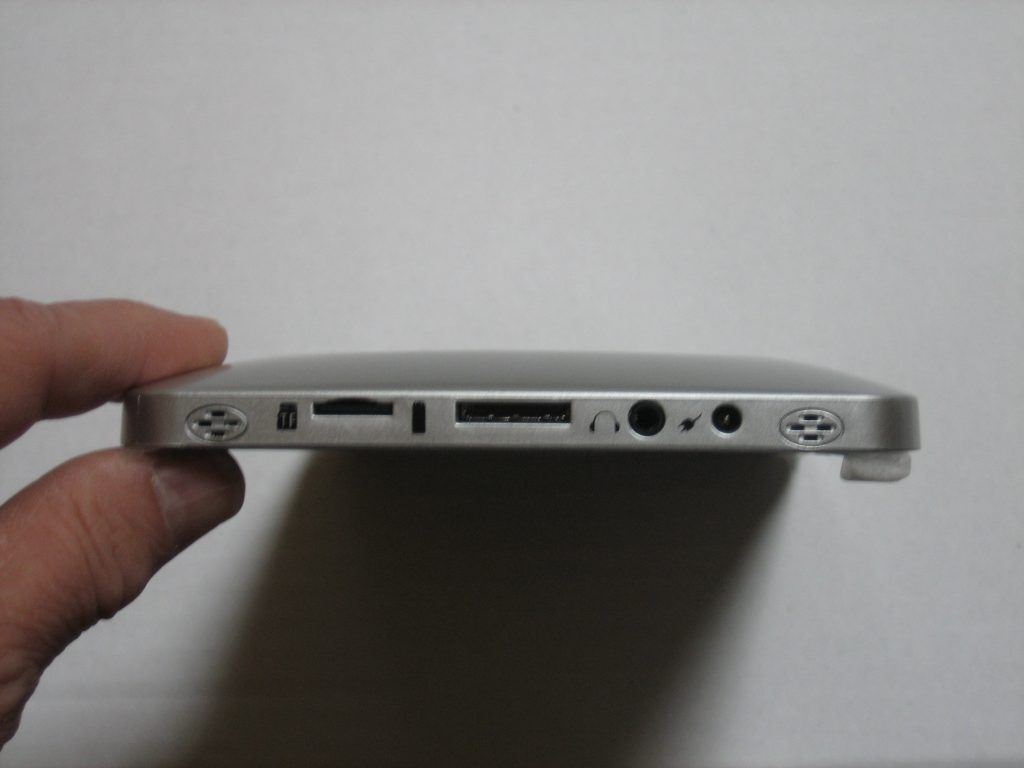
On the right side you have, from left to right, a micro SD slot, the dongle connector, earphone jack and power jack. The speakers are on the extreme left and right.
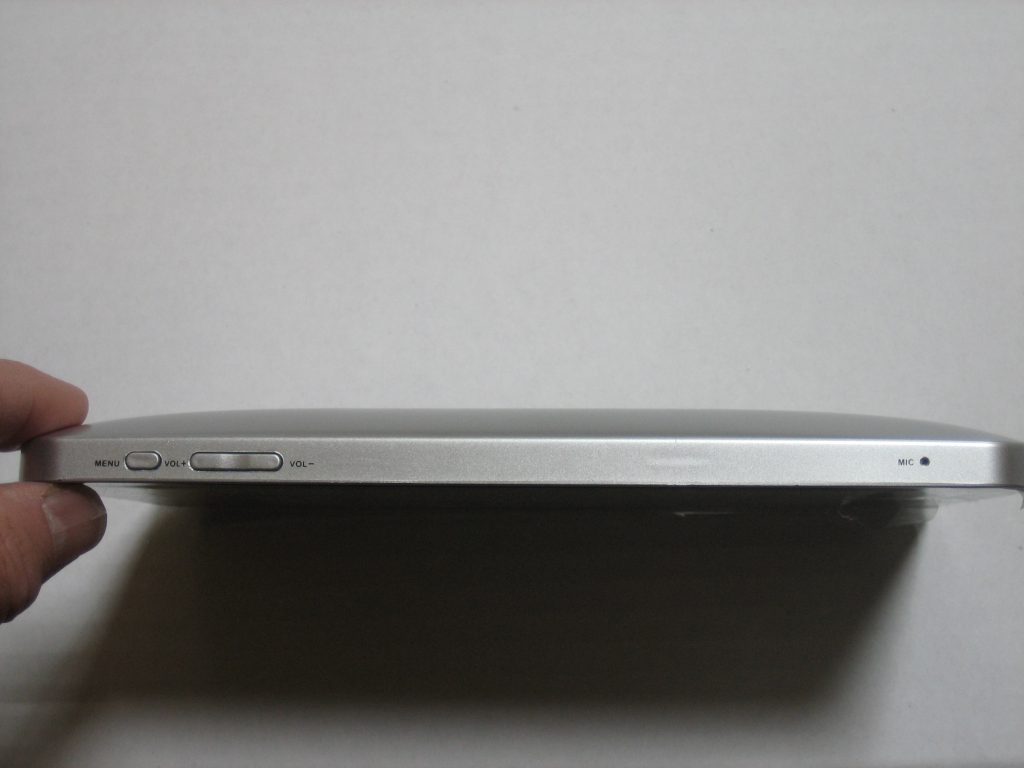
On the top are menu button, volume control and the microphone.
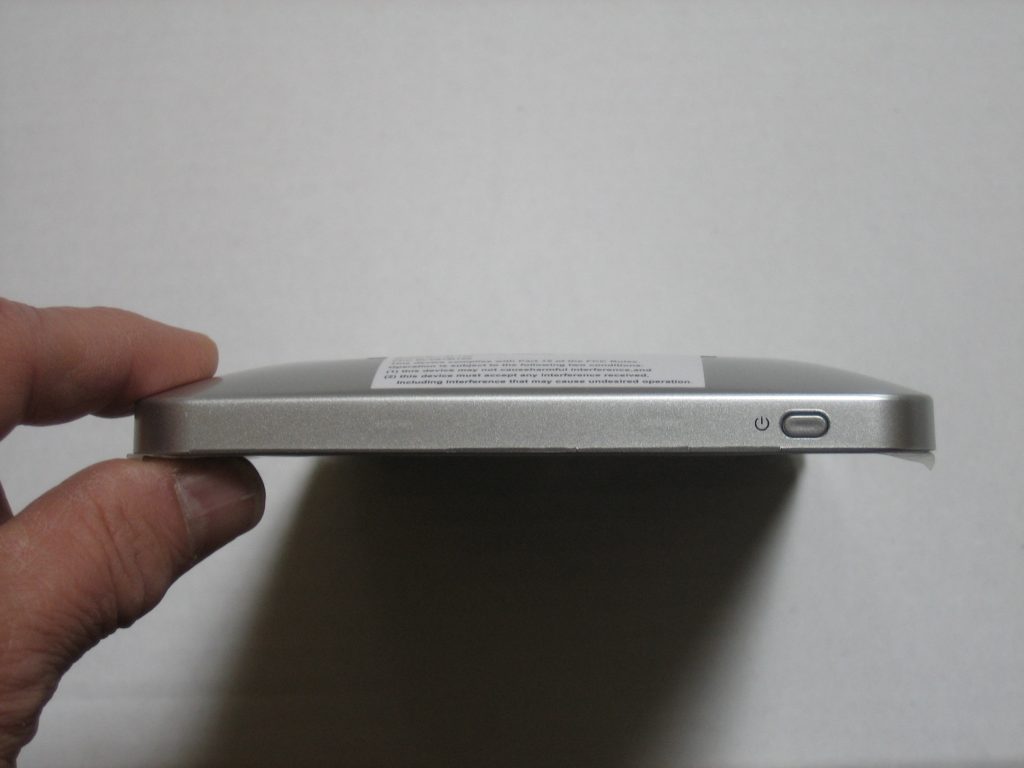
On the left side is the power toggle.
To my eyes the device is solidly built. The touch screen is resistive, better suited to a stylus than a finger. This didn't bother me considering the price and because I was used to using a stylus with the Palm. Although a stylus is provided, there is no holder in the M150.
After charging the unit up for several hours I hit the power button and waited…and waited…and waited. After watching the Android character dance around for what seemed like 5 minutes, I got the home screen.
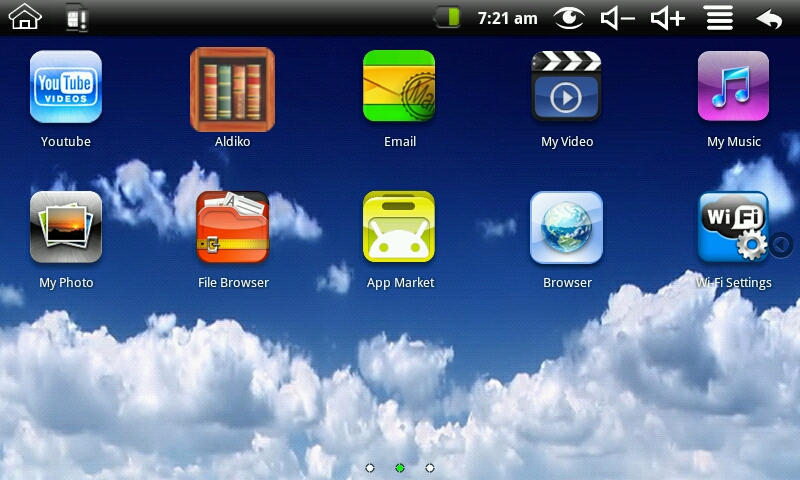
There didn't seem to be too much there, so I grabbed the manual to get myself oriented. Truthfully, the manual is marginally useful. It does define most of the icons, but doesn't even acknowledge things like the camera. Being moderately geeky, I did enjoy exploring the product's capability, however, I'm not sure most people would.
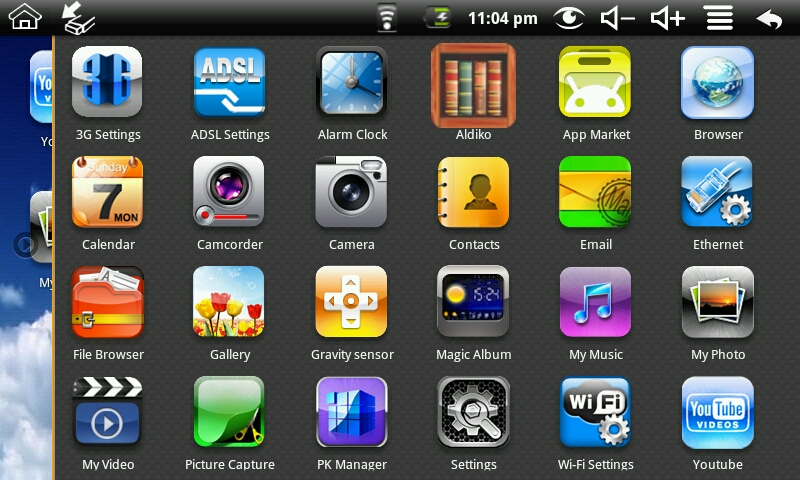
I accidentially tapped a lightly visible arrow on the main screen and wound up with another display of icons. The first one I tapped was for the Wi-Fi settings, so I could get online. It was easy to setup. It found my home network without problem and after inputting my key, I was ready to go online, so I fired up the browser.

After a long while, the page rendered well and there are options to zoom in and out. Also, the M150 has a sensor that automatically changes the screen orientation, albeit very slowly, when you turn the unit from landscape to portrait. To actually read multiple pages on the web, you need to have patience, because this device is slow. I was getting frustrated with the sluggishness of the M150 surfing the net, so I went on to discover other features.
I wanted to see if I could speed up the device if I plugged into the net via cable, so I hooked up the supplied dongle, only to discover it didn't work. It was not recognized by the unit so I would not have ethernet cable access, nor could I use the 2 USB ports on the dongle.
Every time I turned on the unit it complained that the SD card was dismounted, which was interesting because there wasn't one installed. I bought a micro SD card to plug in and the unit stopped complaining. I needed the SD card so that I could use the MP3 and movie players on the device.
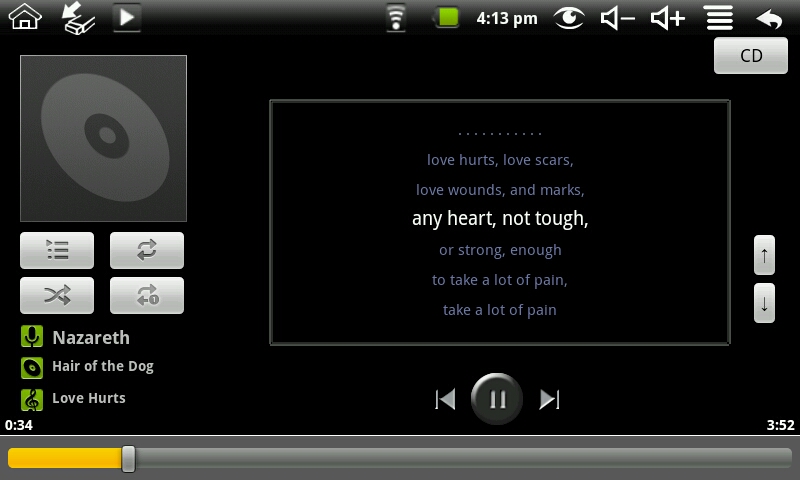
The included MP3 player has an interesting feature where it will download the lyrics to the currently playing track. The sound from the speakers was terrible, but using a set of earphones made the quality very acceptable.
I had several avi videos I made at 480×320 resolution and put them on the SD card. The playback was very choppy and pixelated.
Oh well, let's move on to the camera. I guess you shouldn't expect too much with a .3M pixel resolution and I wasn't disappointed. Not only was the output grainy, it was a photo of me. That's because the camera is on the same side as the screen, so you can only take a picture of yourself. I got the same results when using the video app.
I wasn't too discouraged yet, because I bought the M150 to replicate my Palm T/X and the applications I used on the Palm were available in the Android Marketplace, so all I had to do was download them. Was I wrong! The Maylong M150 does NOT have access to the Google Android Marketplace. It has its own Maylong Appmarket which lists dozens of apps that have the word girlie in them. I did discover, after some research, that I could "side load" Android applications if I could find the apk file. This is NOT user friendly.

I was able to download an app called APKshare, which had some interesting things, one being a Kindle reader. The reader seemed reasonably responsive and allows one to download books from Amazon, as opposed to the supplied reader which has some propriety format.
I approached this product with some excitement, but after days of painfully slow web surfing, extremely choppy You Tube videos, poor documentation and limited application support, I came to the conclusion that at best the M150 is a mediocre ebook reader/MP3 player/electronic picture frame. Hopefully the product's shortcomings are not because of Android, but just poor execution by Maylong. I'm upset with myself for forgetting that you get what you pay for. Apple should thank Maylong. Because of the M150, which I returned, I purchased an iPod Touch. Yes, I have succumbed to the hype. In the future I promise not to get my prescriptions filled at Best Buy nor will I buy technology products from Walgreens.
Filed in categories: Android related, Handheld PCs / Ultra Portables, eBook Readers and Gear
Maylong M150 Universe Tablet PC Review originally appeared on The Gadgeteer on December 16, 2010 at 2:01 pm.
Things you can do from here:
- Subscribe to The Gadgeteer using Google Reader
- Get started using Google Reader to easily keep up with all your favorite sites
